Programming & Design | Unity & C#
Capstone Project | Team of ~4 | ~3 Months | 2021
Table of Contents
Game Trailer
About the Game
The Lost Prison was created over the course of roughly 3 1/2 Months by our 4 man team going from pre-production, mechanics implementation, and balancing through to the “final” version that is shown in our Gameplay trailer. The Lost Prison is an Action-Adventure game whose style can best be described as a Souls-Lite, focusing on melee combat centered around avoidance and timing.
Contributions
At the onset of the project each team member chose specific features and mechanics to implement into the game. We were each responsible for implementing a certain number of mechanics and had fairly specific goals we each had to reach. We all had to add in two mechanics as well as create two levels introducing those mechanics.
As we progressed through the project we were given more leeway in what each person had to work on. This resulted in us being able to split up the work more into what we felt comfortable with or individually wanted to work on, such as one person focused primarily on Level Design while another focused more heavily on Playtesting.
During these later stages of the project, I became primarily responsible for much of the programming. These responsibilities meant most of my time was spent on systems & debugging errors found from playtesting by both myself and teammates.
The Shortlist
A brief rundown of some of the systems/features I was primarily responsible for implementing or designing and those I contributed to in a meaningful way
Primarily Responsible
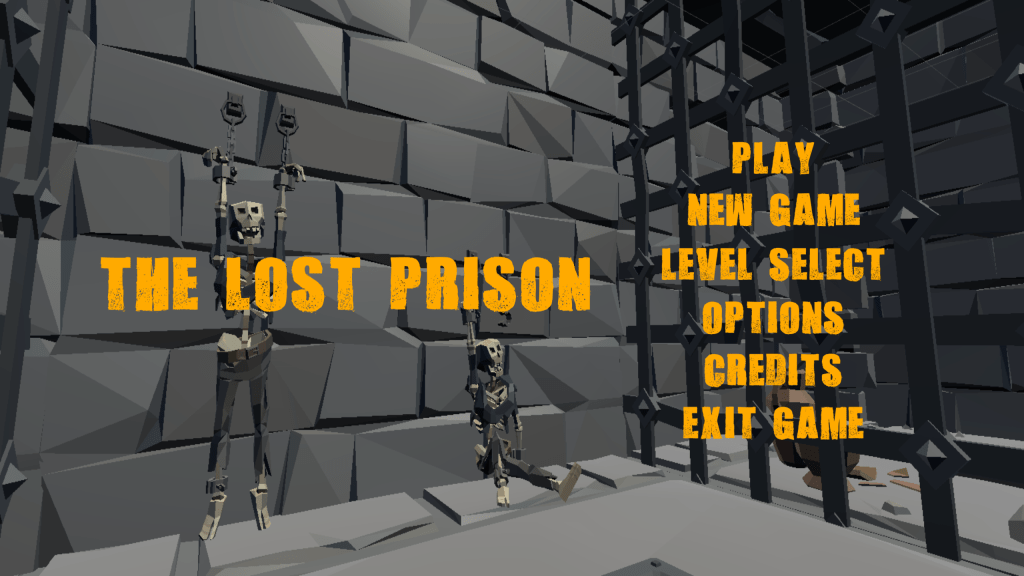
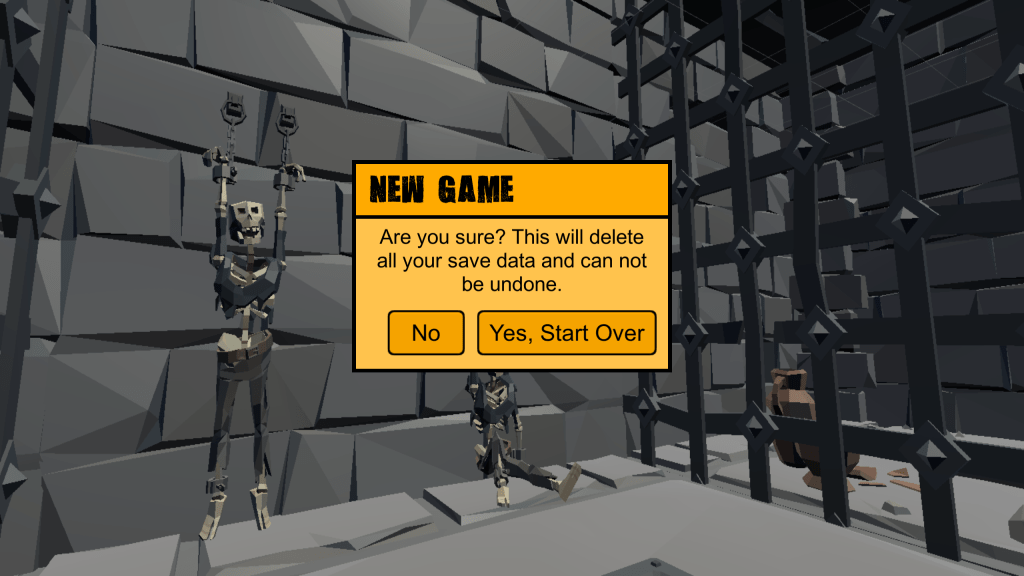
- Main Menu
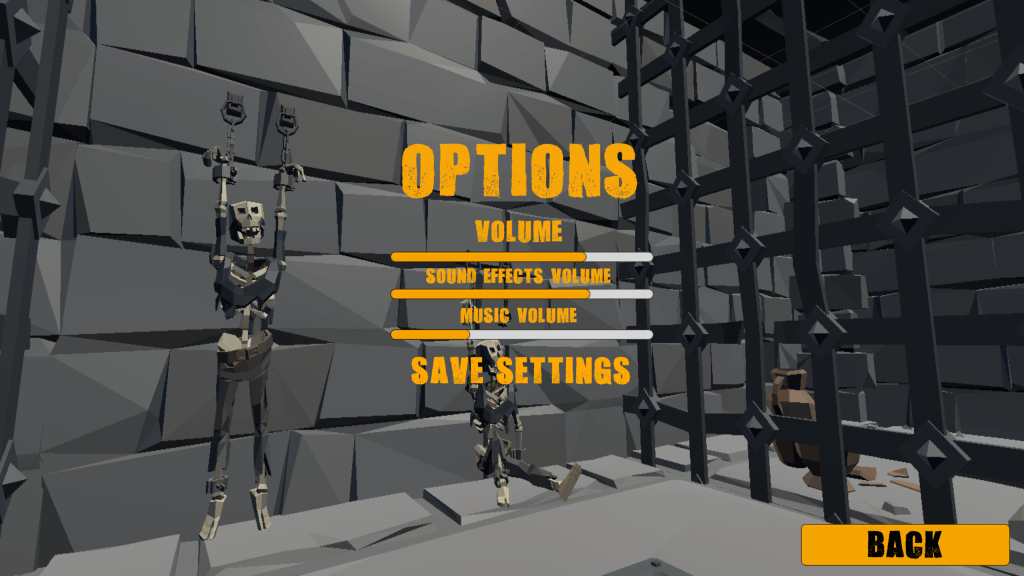
- Options Menu
- Dynamic Music System
- Traps – Swinging Axes & Floor Spikes
- Interactable Objects
- Camera & Lock-On System
- Save/Load System
- Player Health / Stamina
- Enemy Health Bars
- Player HUD
- UI Messaging System
- Weapons
Modified / Contributed to
- Level Select System (Fast Travel)
- Fog Walls / Boss Event System
- Bombs – Targeted Throws
- Block/Parry
- Inventory System / UI & Weapon Swapping
- Consumables – Cooldown & Ammo
- Player Movement System
Enemy AI – Circling & Attack behavior
Began with an attempt to fix a bug with enemies circling, but never approaching, the player. Added in a variety of exposed variables for advanced behavior including…
- Alter circling direction at random, for variety
- Attack after duration, stop circling and charge the player. Reset to circling if player backs away after enemy attacks at least once
- No circling; always charge after the player to attack while in combat
- No attack after duration; remain circling, force the player to come to the enemy
I wanted to create as much enemy behavior variety as possible in our limited amount of time and these simple options helped greatly with achieving that goal.
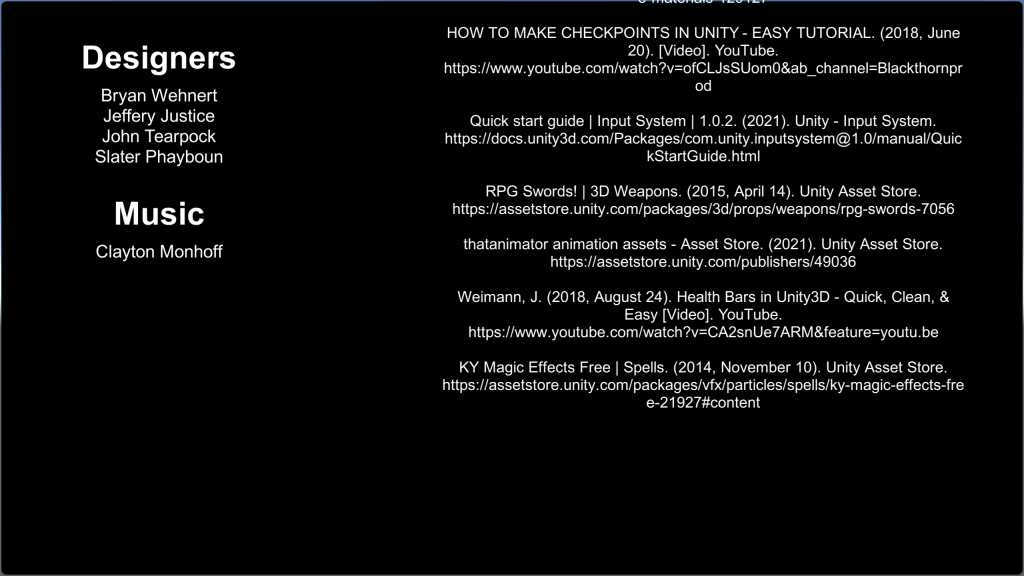
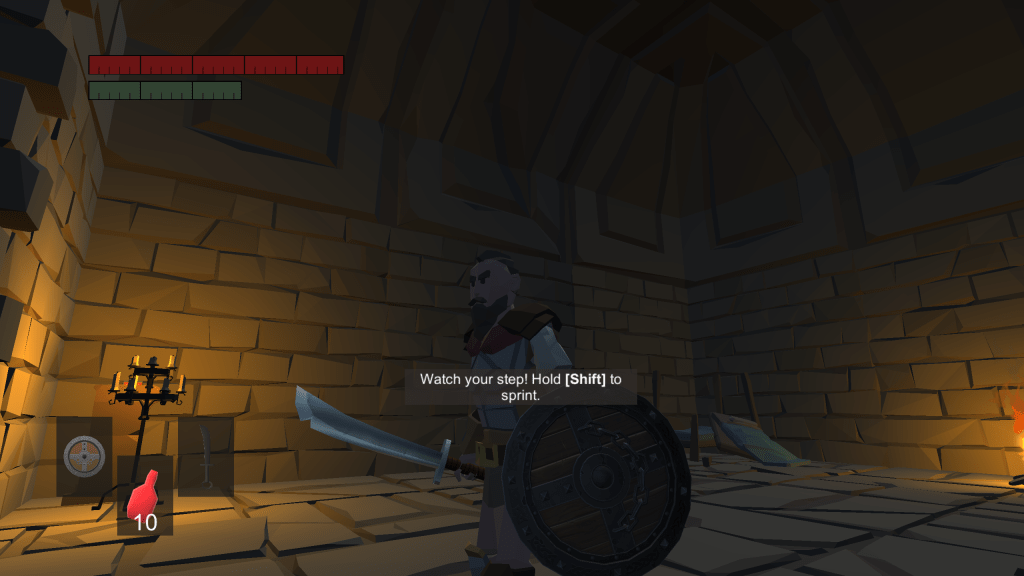
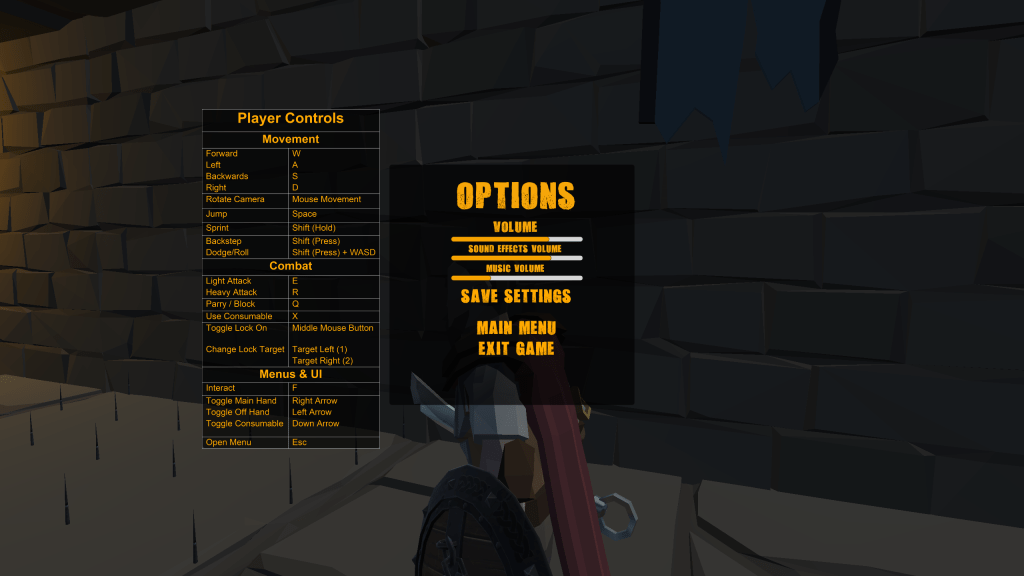
Menu Work
Post Mortem Video
For those interested, our Post Mortem gives a brief overview of the game and some insights into our processes as well as what we learned on the project.
In Depth Design – Interactable Objects
I don’t want to spend too much time explaining my code as I know most people won’t be interested in it. That said, I think going over at least one system I created on my own in detail will help those who are interested better understand my thought process and gain more insight into who I am.
I know this is a lot of words so a brief summary can be found here.
The Problem
The biggest problem designing these systems was not knowing how they were going to be used. At the time of making the door system & prefabs we had no plan for level design. Did we want the player to backtrack? Was backtracking even allowed? Were there going to be multiple paths? Could a door be reached from only one side?
The Solution(s)
I tried to tackle as many of these problems as I could and design a system that allowed for as many options as possible or could easily be adapted to fit a new situation.
Can a player toggle a door locked and unlocked?
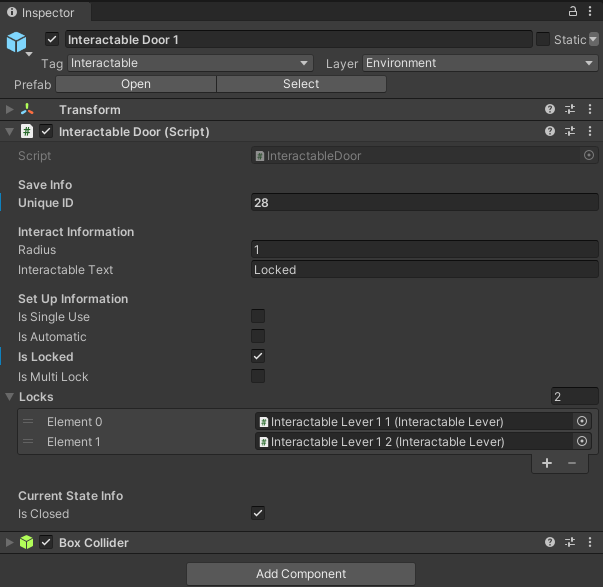
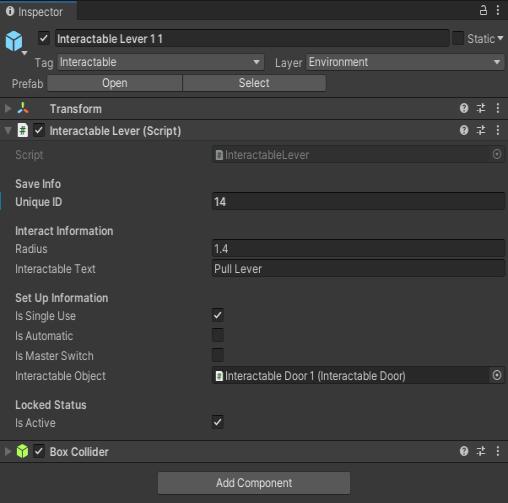
By default, yes. Every time a player pulled the lever the associated door would flip states. By simply checking “Is Single Use” however any lever, door, or other interactable object could be come a one-time use item.
This was primarily added so that key levers needed to progress couldn’t accidentally be re-locked but gave us flexibility if we ever found a situation that we did want that to happen in. ie: lever based puzzles
Does the player open the door, or does the lever open the door?
By default the player opens doors, but again flexibility is the name of the game here. The idea behind “Is Automatic” was if we ever added hidden doors/hidden paths. If we had, we could simply disable the ability for the player to Interact with the door manually and trigger them to open via lever pull.
As it is now, there are about four ways to let the player through after a lever is pulled.
Option A: The player pulls the lever to unlock the door and then manually opens the door.
Option B: The player pulls the lever and the door opens automatically, but the player can also manually interact with the door.
Option C: The player pulls a lever and the door opens/closes each time the lever is pulled.
Option D: The player pulls a lever and the door opens automatically, both the lever and the door are then disabled from further use.
In hindsight I would have removed this option from the lever object as well as it’s not necessary there. The way I had it set up/was calling it I believe I needed that option on ALL Interactable objects. Better parent-child variable management is a lesson learned.
Can the player become trapped on the wrong side of a door?
This was the biggest question because I didn’t know yet if we’d have branching paths or allow back tracking. A second associated problem was that we had no Save/Load system at the time and whenever we loaded into the game, doors behind our current checkpoint prevented us from backtracking if we wanted to.
The solution was twofold. The first, was the “Is Multi Lock” option. Originally the door required all connected locks had to be unlocked in order for the door to open. With this option unselected, it would check if any lock was open so we could place one lever on each side of the door and if either one was in the unlocked state then the door would be open. If enabled though, all associated locks must be flipped in order to progress.
This however led to the second problem, what if the player (or the developers when testing) were stuck behind a door with multiple locks? In this case I added a Master Lock option to the levers. When selected the state of this lever overwrote the others. If the door had 6 locked levers but the master lock was unlocked, then the door would open. So a single lever on the “backside” of the door could allow for simple backtracking.
Scene & Prefab setup
This uncertainty is reflected in the door prefabs. I wasn’t sure which door would be the “standard” door and rather than make 6 unique prefabs, I made one. The prefab contained the two types of frames (Rounded & Squared) as well as the 6 door types. There was an additional prefab for double doors as well.
The idea was that another designer didn’t have to swap around gameobjects and dig through files to try different doors; they simple had to toggle different elements on and off in the scene. While not great for performance I’m sure, once a final design was settled on, deleting the unused parts would be easy enough.
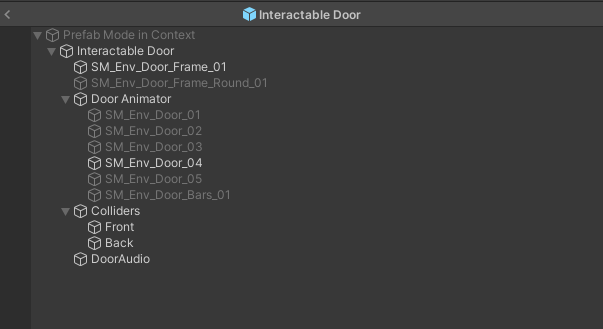
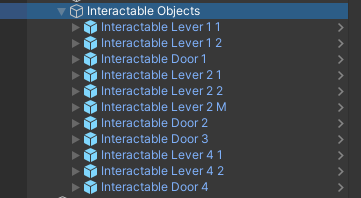
I try to be a very organized individual, while the results are arguably mixed, it’s a goal of mine. I set up my Interactable Objects so they would be easy to read.
Each door could have multiple levers, and they were linked to each other via the Inspector so I used a quick shorthand so I could easily tell if I had to correct levers attached to the correct doors and vice versa. Using Interactable Lever [Door #] [Door Lever #] it was easy to identify the levers that needed to be paired with what door and how many there were.
While I never expected other designers to use this shorthand, it helped me keep my work organized when I was doing some level design and would hopefully make things easy to read if someone else had come along after me and reworked this same content.
In Conclusion… (TL;DR)
TL;DR: Doors, you know, those simple, easy to implement things we use every day.
When creating the system I had no idea how it was going to be used by myself and other designers. As a result I tried to design it in a way that it was highly flexible to fit as many situations as possible. If it couldn’t fit the situation, then it could be easily adjusted; such as allowing one lever to toggle multiple doors would have been as simple as adding a loop inside one function.
I think I did a good job of that and while I arguably spent too much time on problems that didn’t exist, it meant that those problems wouldn’t exist later and I didn’t hinder any level design while they waited for me to update functionality.
When I was working in the scenes myself I kept things organized and easy to read and created highly flexible prefabs to save myself and my teammates time. The door animations themselves that I created were multi-directional so the door would always open away from the player no matter which side they approached from to avoid the player being shoved by the door.
I hope this explanation of my design philosophy helps shed some light on how I work, how I want to work, and who I am as a designer.
I tried to be as concise as possible but the several hundred words above indicate I may need to work on that, so if you’ve made it this far thank you for taking the time and I’m sorry.
 Tearpock's Portfolio